


Over 9.7 million sellers are competing on Amazon right now — and the brands pulling ahead aren't just listing products. They're mastering every tool inside Seller Central from day one.
Whether you're attempting your first Amazon Seller Central login or you've been navigating the platform for years, there's a world of untapped power sitting behind that dashboard. For Indian sellers especially, understanding how to sign in to Amazon Seller Central, activate FBA, and launch high-converting ads is the essential difference between a stagnant storefront and a genuinely profitable brand.
This guide breaks down every critical step — from completing your Amazon central seller sign in to enrolling in FBA and running data-driven ads — so you can stop guessing and start growing.
Ready to stop wasting ad spend and scale smarter?
AdAstraa's AI-powered suite handles bid optimization, keyword intelligence, and creative generation — 24/7.
Why Amazon Seller Central Is Your Most Powerful Business Asset
Amazon Seller Central isn't just a login page — it's a full-stack commerce operating system. From inventory management and order tracking to advertising campaigns and brand analytics, every function that drives your Amazon business lives here.
Here's the scale of opportunity you're tapping into: in 2024, more than 55,000 independent sellers worldwide crossed the $1 million mark in annual Amazon sales. Third-party sellers — the kind who use Seller Central — now represent over 60% of all Amazon sales. The platform isn't slowing down; it's accelerating.
For sellers in India, this is especially significant. Amazon India (amazon.in) has emerged as one of the platform's fastest-growing international marketplaces, giving domestic brands access to hundreds of millions of active shoppers. Getting your Amazon seller login in India right is step one of a much larger journey.
What Lives Inside Your Seller Central Account
- Inventory Manager: Track, replenish, and forecast stock levels.
- Campaign Manager: Launch and optimize Sponsored Products, Brands, and Display ads.
- Brand Analytics: Decode search term reports, market basket data, and repeat purchase behavior.
- Account Health Dashboard: Monitor your seller metrics to stay in good standing.
- FBA Enrollment: Activate Fulfillment by Amazon for hands-free shipping and Prime eligibility.
Step 1: Create Your Amazon Seller Account the Right Way
Before you can sign in to Amazon Seller Central, you need an account. The registration process is straightforward, but small mistakes during setup can delay your approval by days — even weeks. Prepare these documents upfront to avoid the most common bottlenecks:
- Valid government-issued ID (Aadhaar, passport, or driving licence)
- GST registration certificate (mandatory for Amazon seller India)
- PAN card details
- Active business bank account (in your name or your company's name)
- A chargeable credit or debit card
- A verified email address and mobile number
Head to sellercentral.amazon.in and click "Start selling." You'll be prompted to choose between an Individual plan (for lower-volume testing) and a Professional plan (for serious brands investing in growth). For most sellers serious about building a brand, the Professional plan is the essential choice — it unlocks advertising, bulk listing uploads, and advanced reporting tools.
Completing Identity Verification Quickly
Amazon requires a video verification step for most new accounts. This involves a live video call or a face scan with your government-issued ID. Schedule this early in the day when Amazon's verification team is most responsive. Accounts with all documents pre-loaded are typically approved within 1–3 business days.
Step 2: Mastering Your Amazon Central Seller Sign In & Security
Your Seller Central login is the gateway to your entire business. Protecting it is non-negotiable. Here's how to lock it down and streamline access for your team.
Enable Two-Step Verification Immediately
Navigate to Settings → Login Settings → Advanced Security Settings and enable Two-Step Verification (2SV). This single action prevents the majority of unauthorized account takeovers — one of the most damaging and surprisingly common threats Amazon sellers face.
Set Up Multi-User Permissions for Your Team
Under Settings → User Permissions, you can add team members or agency partners with role-specific access. Grant your advertising manager access to Campaign Manager without giving them access to your financial settings. This is a game-changing practice for growing brands working with external partners.
For agencies and brand managers using AdAstraa, this is also where you'd authorize API-level access to enable AI-powered advertising automation tools to connect directly to your account data.
Amazon Seller Login India: Key Differences to Know
If you're operating from India, your portal is sellercentral.amazon.in — not the global .com version. The Indian marketplace has its own GST compliance module, local shipping carrier integrations (like Amazon Easy Ship), and INR-denominated reports. Always ensure you're logging in to the correct regional portal to avoid data mismatches or compliance issues.
Step 3: Enrolling in FBA Amazon — The Ultimate Fulfillment Upgrade
Fulfillment by Amazon (FBA) is perhaps the single most breakthrough feature available to third-party sellers. When you enroll in FBA, Amazon stores your inventory in its fulfillment centers, picks and packs your orders, handles customer service, and manages returns — all on your behalf.
The numbers speak for themselves: approximately 94% of Amazon sellers use FBA, and over 52% of FBA sellers achieve profit margins above 10%. Those enrolled in FBA also automatically qualify for Prime shipping — a badge that dramatically increases conversion rates because Prime members spend significantly more per transaction.
Step-by-Step FBA Enrollment in Seller Central
- From your Seller Central dashboard, navigate to Inventory → Manage Inventory.
- Select the product you want to enroll and click Edit → Change to Fulfilled by Amazon.
- Convert your listing and create a new FBA shipment.
- Print Amazon's shipping labels and send your products to the assigned fulfillment center.
- Once received and checked in by Amazon, your products go live with Prime eligibility.
Understanding FBA Fees to Protect Your Margins
FBA isn't free — Amazon charges fulfillment fees based on product size and weight, plus monthly storage fees. The key to staying profitable is using the FBA Revenue Calculator (available inside Seller Central) before enrolling each product. Factor in referral fees, FBA fees, and your COGS to verify the margin before committing inventory.
Want to track True Profit per ASIN in real time — not just estimated margin? AdAstraa's Shopper OS intelligence layer surfaces ASIN-level profitability so you can make confident scaling decisions without spreadsheet headaches.
Step 4: Building Product Listings That Convert Before Ads Run
Here's an often-ignored truth: ads amplify your listing — they don't fix it. Sending paid traffic to a poorly optimized listing is the fastest way to burn your budget. Before you launch a single sponsored campaign, your listings need to be battle-tested.
The Essential Elements of a High-Converting Amazon Listing
- Title: Lead with your primary keyword naturally. Include size, material, and key benefit. Stay within 200 characters.
- Bullet Points: Lead each bullet with a benefit-first headline. Address the buyer's top pain point within the first two bullets.
- A+ Content: Brand-registered sellers should invest in A+ Content — it has been shown to increase conversion rates by up to 10% on average.
- Images: Seven high-quality images minimum. Include lifestyle shots, infographics, and a comparison chart.
- Backend Keywords: Fill all available backend keyword fields with relevant search terms not already in your visible copy.
Real-World Insight: A mid-size Indian home decor brand running ₹2L/month in Amazon ads saw their conversion rate jump from 8% to 14% after restructuring their titles, bullet points, and main image — before changing a single bid. Their ACoS dropped from 42% to 27% purely from listing improvements. The ads hadn't changed. The listing had.
Step 5: Launching Your First Amazon Advertising Campaign
Once your listings are optimized and your FBA shipment is live, it's time to drive traffic. Amazon's advertising ecosystem is built around three proven ad types available directly from your Seller Central dashboard.
Sponsored Products — Start Here
Sponsored Products are the most powerful starting point for any seller. They appear within search results and on product detail pages, driving high-intent shoppers directly to your listing. You don't need Brand Registry to run them, and you can launch a campaign in under 10 minutes after your first sign in to Amazon Seller Central.
Begin with an Automatic targeting campaign at a modest daily budget (₹300–₹500 for India). Run it for 14 days to gather keyword data, then harvest top-converting search terms into a Manual campaign with refined bids.
Sponsored Brands — Build Awareness at Scale
Available to Brand Registry sellers, Sponsored Brands appear at the top of search results with your logo, a custom headline, and up to three products. These campaigns are exceptionally effective for new product launches and seasonal pushes where top-of-funnel visibility is the must-have priority.
Sponsored Display — Retarget, Retarget, Retarget
Sponsored Display lets you retarget shoppers who viewed your listing but didn't purchase, or target shoppers browsing competitor products. For brands looking to reduce abandoned consideration and recapture lost revenue, this is the step-by-step follow-up mechanism Amazon provides natively.
Looking to deepen your understanding of Amazon's ad types? Our complete Amazon PPC guide walks through every campaign format, targeting strategy, and bid structure in detail.
⚡ Stop Managing Bids Manually — Let AI Do the Heavy Lifting
AdAstraa's Autopilot engine optimizes bids 24/7, eliminates non-converting keywords, and surfaces real-time ACoS data — so you scale profitably without living in Seller Central.
Activate Autopilot — Try AdAstraa Free →Step 6: Upskill with Amazon Advertising Courses Worth Your Time
The Amazon advertising ecosystem evolves rapidly. Sellers who invest in structured learning consistently outperform those running campaigns on instinct alone. Fortunately, Amazon provides free, high-quality advertising courses through two official resources.
Amazon Ads Academy
Amazon Ads Academy (advertising.amazon.com/academy) offers self-paced courses, guided learning paths, and industry-recognized certifications. Whether you're launching your first Sponsored Products campaign or building a full-funnel brand strategy, these courses provide a solid guaranteed foundation — and the certifications carry genuine weight with brand partners and agencies.
Seller University
Seller University is Amazon's free video library built specifically for sellers navigating Seller Central. It covers everything from account setup and FBA enrollment to listing optimization, advertising tools, and policy compliance. For amazon seller India accounts, there's localized content addressing GST compliance, Easy Ship setup, and India-specific program eligibility.
Both resources are accessible directly from within your Seller Central account — no additional amazon central login required.
Step 7: Monitoring Account Health to Protect Your Selling Privileges
Every time you sign in to Amazon Seller Central, one of the first things you should review is your Account Health dashboard. Amazon uses a range of performance metrics to evaluate whether sellers are meeting customer expectations — and accounts that fall below thresholds risk suspension.
The 3 Metrics That Matter Most
- Order Defect Rate (ODR): Must stay below 1%. ODR is a composite of negative feedback, A-to-Z claims, and chargebacks.
- Late Shipment Rate: Must stay below 4%. FBA sellers are largely exempt from this since Amazon handles fulfillment — another reason to activate FBA Amazon early.
- Valid Tracking Rate: Must be above 95% for seller-fulfilled orders. Always use tracked shipping carriers.
Check your Account Health page at least twice a week. Amazon can issue warnings or restrictions quickly, and responding proactively to any alerts is far easier than appealing a suspension after the fact.
Step 8: The Effortless Next Level — AI-Powered Ad Optimization
Here's the uncomfortable reality most sellers discover too late: manual ad management doesn't scale. As your catalog grows, managing bids, harvesting keywords, and analyzing search term reports across dozens of campaigns becomes a full-time job — one that's prone to human error and emotional decision-making.
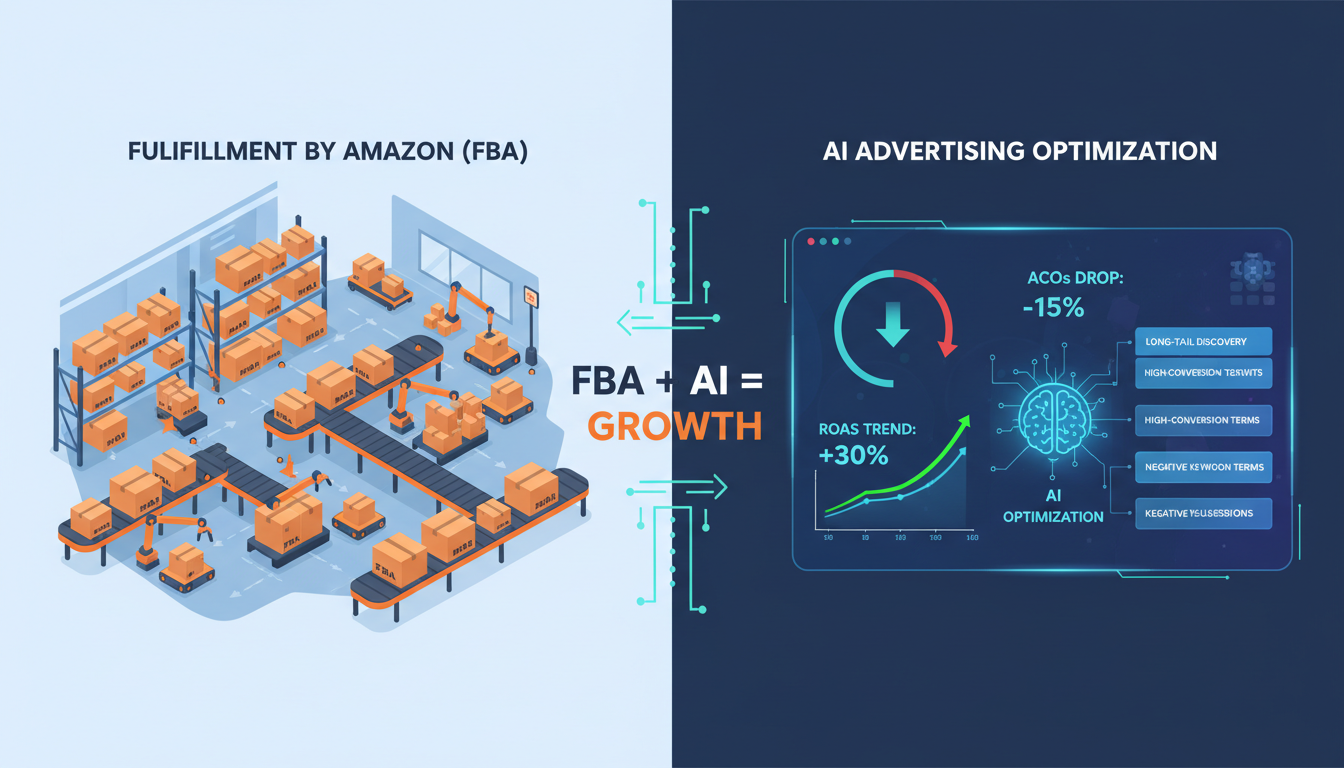
This is exactly the gap that AI-powered tools were built to close. And it's precisely why brands using AI-driven advertising strategies are consistently pulling away from competitors still stuck in spreadsheets.
How AdAstraa Transforms Your Seller Central Advertising
| AdAstraa Tool | What It Does | Outcome for Sellers |
|---|---|---|
| Autopilot | 24/7 automated bid optimization based on real-time performance signals | Lower ACoS, higher ROAS, zero manual bid changes |
| Shopper OS | Buyer intent intelligence and keyword opportunity mapping | Target high-intent shoppers; eliminate non-converting keywords |
| EcomGPT | Automated customer operations and response workflows | Faster response times; improved seller metrics and reviews |
| AdCreative+ | AI-generated ad creatives optimized for Amazon placements | Higher CTR; reduced creative production time and cost |
The average seller using AdAstraa reclaims 15+ hours per week of manual management time while seeing measurable improvements in both ACoS and ROAS within the first 30 days. For brand owners scaling on Amazon, that's not a minor upgrade — it's a fundamental operational transformation.
Step 9: Scale Profitably — From First Login to 7-Figure Brand
Getting your amazon central login set up is just the ignition. The brands that reach seven figures on Amazon share a set of non-negotiable operating habits that compound over time.
The Habits of Genuinely Profitable Amazon Sellers
- Weekly ad audits: Review search term reports every 7 days. Add negative keywords for terms that spend without converting. This alone can reduce wasted ad spend by 20–30%.
- ASIN-level profit tracking: Not all products are created equal. Identify your True Profit per ASIN — including FBA fees, ad spend, COGS, and referral fees — before scaling any product's budget.
- Seasonal budget planning: Amazon's peak periods (Prime Day, Diwali, end-of-year sale season for India) reward sellers who increase budgets proactively. Don't wait until the sale day to adjust spend.
- Review velocity management: Enroll in Amazon's Request a Review program. Higher review counts improve organic rank and ad conversion rates simultaneously.
- Brand Registry: Register your brand to unlock A+ Content, Sponsored Brands, Brand Analytics, and Amazon Stores. For serious sellers, this is an essential upgrade — not optional.
Want to see how real brands are applying these strategies? Explore our AdAstraa case studies featuring D2C brands and FMCG sellers who've transformed their Amazon performance with AI-powered tools.
Additional Resources
Deepen your knowledge with these authoritative external resources used in the research behind this guide:
- Amazon Seller Central India — Official Portal — The official login and management hub for all Amazon India sellers; start registration, manage FBA, and access Campaign Manager here.
- Amazon Ads Academy — Free Advertising Courses & Certifications — Official Amazon platform for free advertising courses, guided learning paths, and industry-recognized certifications for sellers at every level.
- Amazon India: Official Beginner's Guide to Selling — Amazon India's step-by-step onboarding guide covering registration, GST requirements, FBA enrollment, and launching your first listing.
- Jungle Scout: Amazon Seller Statistics 2024 — Comprehensive third-party data on Amazon seller profitability, category trends, and FBA performance benchmarks based on surveys of thousands of active sellers.
- Amazon FBA Statistics 2024–2026: Success Rates & Seller Insights — In-depth analysis of FBA seller success rates, average revenue benchmarks, and marketplace growth trends through 2024 and beyond.
Your Amazon Journey Starts With One Login — Make It Count
From your very first Amazon Seller Central login to enrolling in FBA, launching your first ad campaign, and scaling to seven figures, every step of the process is learnable, repeatable, and — with the right tools — entirely manageable without burning out.
The sellers winning on Amazon in 2025 and beyond share a common trait: they've stopped trying to out-manual the algorithm. They've embraced AI-powered optimization, doubled down on listing quality, and built systems that work around the clock — even when they don't.
You now have the proven, step-by-step roadmap. The only question is how quickly you act on it.
Stop Leaving Revenue on the Table.
Join Amazon-first brands using AdAstraa to automate bid optimization, eliminate wasted spend, and unlock the true profit potential of every ASIN — starting today.
Get Started with AdAstraa — Free →